






Your default workspace
When you create an account, Paico automatically creates a Free workspace named "[Username]'s workspace", and uses your profile photo as the workspace avatar.
Dear Paico Users
Launching on September 9, 2026 (UTC+8), this update introduces workspaces and new plans. Every account will have its own workspace, with Free, Personal, and Professional plans applied per workspace. Credits included with paid plans will refresh each billing cycle, and credit top-up packs are available when you need more. Your existing sign-in methods and data will carry over seamlessly, preserving your current benefits and creative work.
We're moving beyond account-based ownership to workspaces that organize plans, credits, members, and content, with clearer boundaries between projects and teams.
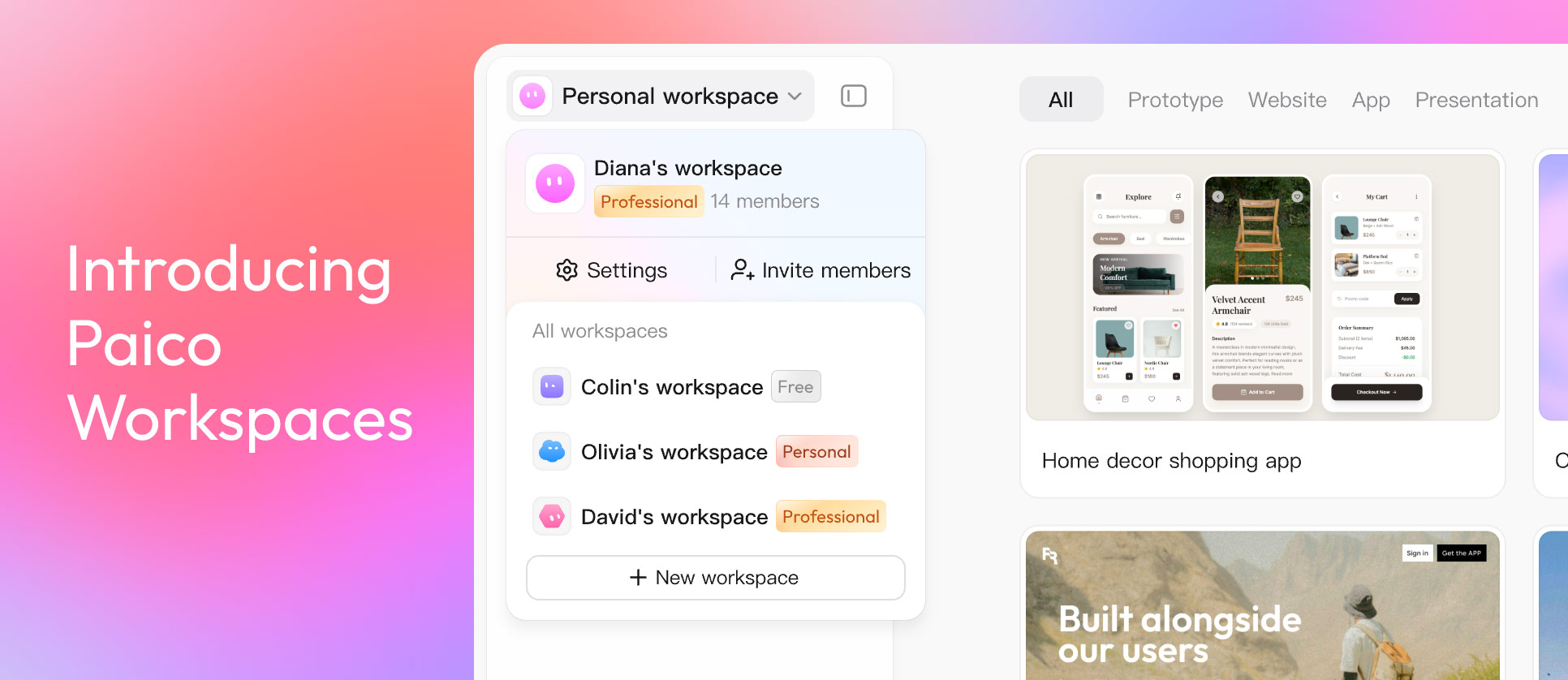
When you create an account, Paico automatically creates a Free workspace named "[Username]'s workspace", and uses your profile photo as the workspace avatar.
Create and name additional workspaces as needed. The menu in the top-left corner lists every workspace you own or have joined, clearly labeled as Free, Personal, or Professional.
Plan features, credit balance, billing period, orders, and content are tied to the active workspace. When you upgrade, that workspace upgrades to the new plan tier.
Professional workspaces include four roles: Owner, Admin, Editor, and Viewer. Viewers can browse content, while editing and management access is controlled by role.
The switcher shows workspace details and members. Owners and Admins can access Workspace Settings to manage plans, billing, members, and
workspace info.
Each Paico workspace can be on the Free, Personal, or Professional plan. Plan benefits, credits, and data are scoped to the active workspace.
Explore the basics and preview results
Independent creation and full delivery
Team collaboration & member management
| Feature | Free | Personal | Professional |
|---|---|---|---|
| View existing files | |||
| Upload reference images | |||
| Choose output framework (HTML / React) | |||
| Built-in themes | |||
| Custom themes | |||
| Design system: design.md and built-in templates | |||
| Import npm packages into a design system | |||
| Skills | |||
| Plan Mode | |||
| Expert Mode | |||
| Model selection | |||
| Targeted edits | |||
| Visual editing | |||
| Version history | |||
| View code | |||
| Preview sizes (Web / iPhone) | |||
| Download code | |||
| Export to Pixso (Visual fidelity) | |||
| Export to Pixso (Component fidelity) | |||
| Export to Figma | |||
| Publish as a website | |||
| Invite members | |||
| Manage member permissions | |||
| Plan credits refresh each billing cycle | |||
| Buy credit top-up packs |
Personal and Professional plans run on a monthly billing cycle. Included credits refresh at the start of each cycle, while usage and order history are managed within the workspace.
Built for solo creators. Credits can be used for AI actions in your personal workspace and refresh with each billing cycle.
Built for teams. Members share credits within the workspace, while owners and admins can monitor usage and purchase plans.
Personal and Professional workspaces can purchase credit top-up packs.
Top-up credits remain valid with a separate expiration date.
Any unused credits are cleared when the workspace plan expires.
The default workspace automatically receives 100 trial credits. When the 31-day validity period ends, the trial balance refreshes with another 100 credits.
Personal and Professional are billed monthly and include workspace credits based on the plan you choose.
Included credits refresh with each billing cycle. At the start of a new cycle, your available balance is renewed based on the active plan.
If you extend your plan before the current term ends, credits from the new purchase become available at the start of the next billing cycle, subject to the upgrade and downgrade rules for your current plan.
When a workspace's paid plan ends, any unused credits are cleared. Paid workspaces that are not renewed are downgraded to Free.
Workspace members with Editor access or higher can view the remaining credit balance.
Owners and admins can view usage history and a credit balance breakdown.
Only owners and admins can purchase plans or credits.
Paico offers familiar sign-in options tailored to user habits, while keeping registration, verification, and account security consistent.
Sign in with your email and password. New accounts must verify their email with a one-time code, and Paico validates both the email format and password.
Existing Paico users who previously signed in through Pixso can continue to use the same Pixso sign-in method. All account data will be preserved, with no need to register again or migrate anything.
Your account, benefit, and content will move together into the new workspace, with minimal disruption to your existing workflows and assets.
Your default workspace will be named "[Username]'s workspace".
| Status before the update | Workspace after the update | What is retained |
|---|---|---|
| Purchased Credits | Personal Workspace | Credit balance & validity period |
| Trial Credits Only | Trial credit balance & remaining validity period retained | Trial credit balance |
| Purchased and Trial Credits | Both credit balances & remaining validity periods retained | Both credit balances |
| Chats, Design Systems, and Other Files | Default Workspace Content | Fully migrated and remains accessible |
Answers to common questions about Paico workspace, credits, and data migration.
Yes. Accounts created through Sign in with Pixso will be preserved, and you can keep using your existing account to access Paico. The update also adds more sign-in options.
Credits included with your plan refresh each billing cycle. Top-up credits have their own validity period, independent of your current plan term.
No. Your existing chats, design systems, and other files will move to the default workspace created for your account. Exports to Pixso will still go to the personal drafts of the Pixso account you're currently signed in to.